# Asking for google login, again and again in pritunl-zero Enterprise
**URL:** https://forum.pritunl.com/t/asking-for-google-login-again-and-again-in-pritunl-zero-enterprise/2925
**Category:** Pritunl Zero
**Created:** [December 30, 2024, 12:15pm UTC](https://forum.pritunl.com/t/asking-for-google-login-again-and-again-in-pritunl-zero-enterprise/2925 "2024-12-30T12:15:44Z")
**Posts on this page:** 14
**Page:** 1
### Author:  [@mohijeet-changejar](https://forum.pritunl.com/u/mohijeet-changejar)
#### Post date: [December 30, 2024, 12:15pm UTC](https://forum.pritunl.com/t/asking-for-google-login-again-and-again-in-pritunl-zero-enterprise/2925/1 "2024-12-30T12:15:44Z")
we recently started using pritunl-zero for all out internal service including monitoring and logging such as kibana and so on, recently after adding some services and number of people increased that require to use this service, there are some peoples who requires login each and every step.
for example there if visiting [example.com](http://example.com) it ask logging which is expected then when user click on search it ask login, when user click or submit any form it ask login.
basically whenever user is doing refresh in browser its asking logging. user session logging time is set to 120 minutes, server cpu and memory are stable, even in logs section there are no specific logs.
here is what i am seeing when i go to user and see current session there are no current session but its keep ending…

---
### Author:  [@shreyank](https://forum.pritunl.com/u/shreyank)
#### Post date: [December 30, 2024, 1:01pm UTC](https://forum.pritunl.com/t/asking-for-google-login-again-and-again-in-pritunl-zero-enterprise/2925/2 "2024-12-30T13:01:22Z")
I have faced this issue a while back. It automatically got fixed for some users. I tried to delete and recreate the same user, but not working. It works for a while (2-5 min) and again asks for the google oauth again and again. Can you help me with this.
Thanks.
---
### Author:  [@zach](https://forum.pritunl.com/u/zach)
#### Post date: [December 31, 2024, 2:46am UTC](https://forum.pritunl.com/t/asking-for-google-login-again-and-again-in-pritunl-zero-enterprise/2925/3 "2024-12-31T02:46:35Z")
Verify _Share session with subdomains_ is enabled in the service settings. Then test with _CSRF check_ disabled and _Permit unauthenticated options requests_ enabled.
---
### Author:  [@mohijeet-changejar](https://forum.pritunl.com/u/mohijeet-changejar)
#### Post date: [December 31, 2024, 5:27am UTC](https://forum.pritunl.com/t/asking-for-google-login-again-and-again-in-pritunl-zero-enterprise/2925/4 "2024-12-31T05:27:22Z")
but how is it possible that without any changes suddenly this issue started, like we faced that in existing services that users are already using since 4-5 days but yesterday all of sudden this issue started not before that plus not for all users there are few people that have this issue. Still i will enable this settings but I would like to get better understanding of this, because when it started our most of services become unusable and we had to allow entire CIDR so pritunl-zero dont be block for work.
---
### Author:  [@mohijeet-changejar](https://forum.pritunl.com/u/mohijeet-changejar)
#### Post date: [December 31, 2024, 6:37am UTC](https://forum.pritunl.com/t/asking-for-google-login-again-and-again-in-pritunl-zero-enterprise/2925/5 "2024-12-31T06:37:59Z")
proxy: WebSocket dial error 401
websocket: bad handshake
ORIGINAL STACK TRACE:
[github.com/pritunl/pritunl-zero/proxy.(\*webSocket).ServeHTTP](http://github.com/pritunl/pritunl-zero/proxy.(*webSocket).ServeHTTP)
/go/src/github.com/pritunl/pritunl-zero/proxy/ws.go:344 +0x1597dbc
[github.com/pritunl/pritunl-zero/proxy.(\*Proxy).ServeHTTP](http://github.com/pritunl/pritunl-zero/proxy.(*Proxy).ServeHTTP)
/go/src/github.com/pritunl/pritunl-zero/proxy/proxy.go:266 +0x158dea4
[github.com/pritunl/pritunl-zero/router.(\*Router).ServeHTTP](http://github.com/pritunl/pritunl-zero/router.(*Router).ServeHTTP)
/go/src/github.com/pritunl/pritunl-zero/router/router.go:97 +0x15b4af8
net/http.serverHandler.ServeHTTP
/usr/local/go/src/net/http/server.go:3210 +0x778dad
net/http.(\*conn).serve
/usr/local/go/src/net/http/server.go:2092 +0x7582cf
runtime.goexit
/usr/local/go/src/runtime/asm\_amd64.s:1700 +0x4799a0
when i check user session of users who having this issue there is ip in that user session i am seeing two ip’s are used for connection and when i check logs it was saying web-socket error
401 is also there but its because user session is ended and now user is trying to access web service so it giving above error i have made all changes as you mentioned previously but still same error.
---
### Author:  [@zach](https://forum.pritunl.com/u/zach)
#### Post date: [December 31, 2024, 5:03pm UTC](https://forum.pritunl.com/t/asking-for-google-login-again-and-again-in-pritunl-zero-enterprise/2925/6 "2024-12-31T17:03:06Z")
Open the _Nodes_ tab and check the running version. If it is v1.0.3265.55 or later this may be caused by changes to the WebSocket code. Try disabling the _Allow WebSockets_ option in the service settings.
---
### Author:  [@mohijeet-changejar](https://forum.pritunl.com/u/mohijeet-changejar)
#### Post date: [January 2, 2025, 7:35am UTC](https://forum.pritunl.com/t/asking-for-google-login-again-and-again-in-pritunl-zero-enterprise/2925/7 "2025-01-02T07:35:25Z")
it solved issue for service that doesnt need websocket connection, still there are services that require web-socket connection and when i disabled for them it gave error so is it possible to resolve this also? or should we need to remove pritunl-zero for such services?
* * *
err: “http: proxy error: proxy: Blocking websocket connection\nORIGINAL STACK TRACE:\ngithub.com/pritunl/pritunl-zero/proxy.(\*TransportFix).RoundTrip\n\t/go/src/github.com/pritunl/pritunl-zero/proxy/transport.go:35 +0x1590cf7\nnet/http/httputil.(\*ReverseProxy).ServeHTTP\n\t/usr/local/go/src/net/http/httputil/reverseproxy.go:481 +0xb7aa86\ngithub.com/pritunl/pritunl-zero/proxy.(\*web).ServeHTTP\n\t/go/src/github.com/pritunl/pritunl-zero/proxy/web.go:108 +0x15914af\ngithub.com/pritunl/pritunl-zero/proxy.(\*Proxy).ServeHTTP\n\t/go/src/github.com/pritunl/pritunl-zero/proxy/proxy.go:281 +0x158dff9\ngithub.com/pritunl/pritunl-zero/router.(\*Router).ServeHTTP\n\t/go/src/github.com/pritunl/pritunl-zero/router/router.go:97 +0x15b4af8\nnet/http.serverHandler.ServeHTTP\n\t/usr/local/go/src/net/http/server.go:3210 +0x778dad\nnet/http.(\*conn).serve\n\t/usr/local/go/src/net/http/server.go:2092 +0x7582cf\nruntime.goexit\n\t/usr/local/go/src/runtime/asm\_amd64.s:1700 +0x4799a0\n”
service: “grafana-monitoring”
---
### Author:  [@zach](https://forum.pritunl.com/u/zach)
#### Post date: [January 3, 2025, 11:10pm UTC](https://forum.pritunl.com/t/asking-for-google-login-again-and-again-in-pritunl-zero-enterprise/2925/8 "2025-01-03T23:10:13Z")
Verify _Logout Path_ is unset in the service settings and check for location based policies in the _Policies_ tab.
Also run `sudo pritunl-zero set auth sync 604800` to verify it is not the single sign-on sync that is closing the session.
---
### Author:  [@mohijeet-changejar](https://forum.pritunl.com/u/mohijeet-changejar)
#### Post date: [January 6, 2025, 8:40am UTC](https://forum.pritunl.com/t/asking-for-google-login-again-and-again-in-pritunl-zero-enterprise/2925/9 "2025-01-06T08:40:32Z")
every thing is as you mentioned still there are lots of logs we are getting related to web-socket.
can you help us resolve this. This is most likely causing some users to keep asking for login when they click on button that refresh browser they… or manually they refresh browser
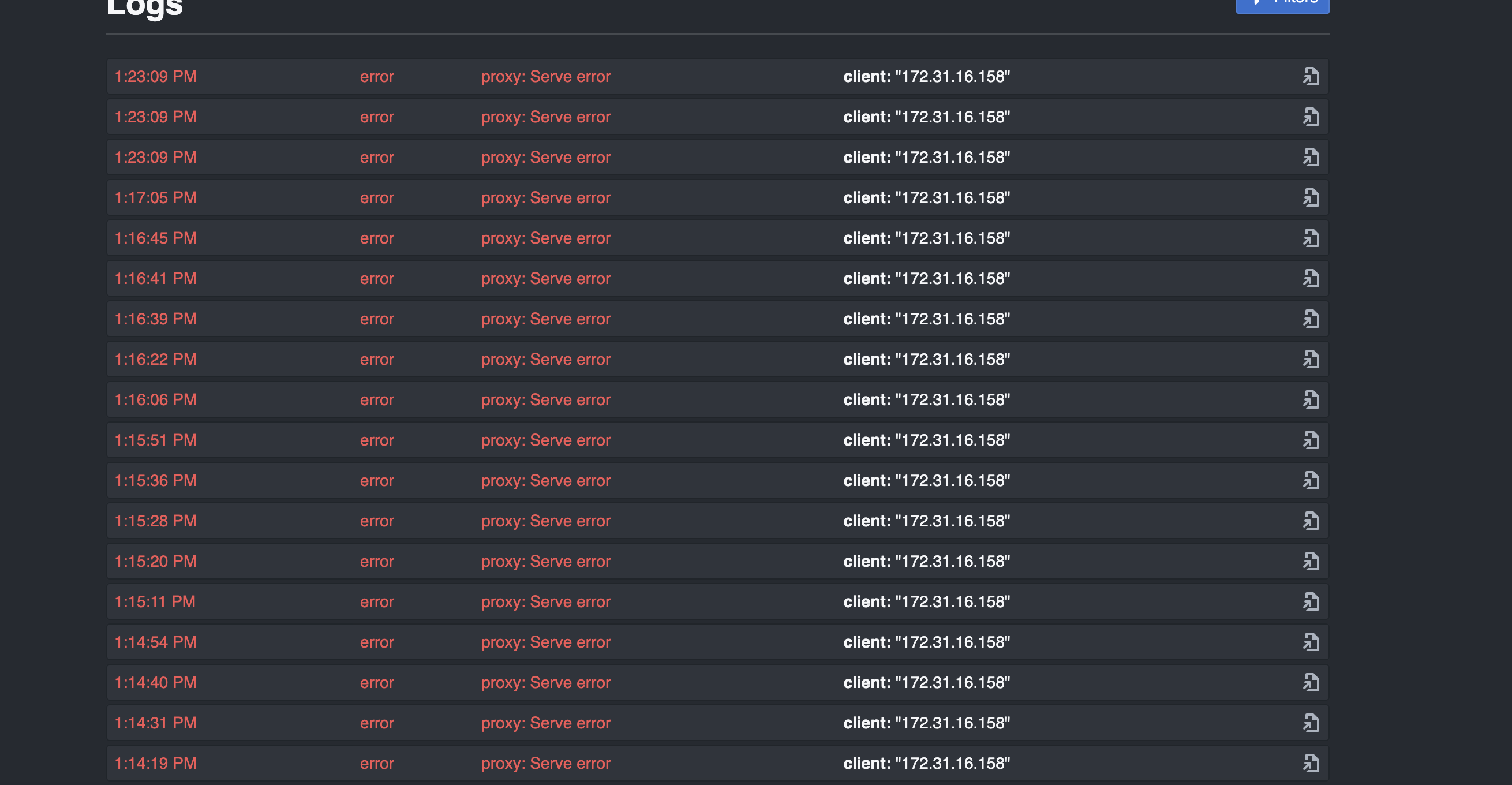
ERROR:
proxy: WebSocket dial error 401
websocket: bad handshake
ORIGINAL STACK TRACE:
[github.com/pritunl/pritunl-zero/proxy.(\*webSocket).ServeHTTP](http://github.com/pritunl/pritunl-zero/proxy.(*webSocket).ServeHTTP)
/go/src/github.com/pritunl/pritunl-zero/proxy/ws.go:344 +0x15b8f5c
[github.com/pritunl/pritunl-zero/proxy.(\*Proxy).ServeHTTP](http://github.com/pritunl/pritunl-zero/proxy.(*Proxy).ServeHTTP)
/go/src/github.com/pritunl/pritunl-zero/proxy/proxy.go:266 +0x15af044
[github.com/pritunl/pritunl-zero/router.(\*Router).ServeHTTP](http://github.com/pritunl/pritunl-zero/router.(*Router).ServeHTTP)
/go/src/github.com/pritunl/pritunl-zero/router/router.go:99 +0x15d5c98
net/http.serverHandler.ServeHTTP
/usr/local/go/src/net/http/server.go:3210 +0x778bad
net/http.(\*conn).serve
/usr/local/go/src/net/http/server.go:2092 +0x7580cf
runtime.goexit
/usr/local/go/src/runtime/asm\_amd64.s:1700 +0x4799a0
---
### Author:  [@zach](https://forum.pritunl.com/u/zach)
#### Post date: [January 6, 2025, 9:49pm UTC](https://forum.pritunl.com/t/asking-for-google-login-again-and-again-in-pritunl-zero-enterprise/2925/10 "2025-01-06T21:49:55Z")
Are you referring to issues where the Pritunl Zero login session is lost or the login session on the internal service is lost? Those errors seem to indicate the internal service is return a 401 access denied.
---
### Author:  [@mohijeet-changejar](https://forum.pritunl.com/u/mohijeet-changejar)
#### Post date: [January 7, 2025, 6:34am UTC](https://forum.pritunl.com/t/asking-for-google-login-again-and-again-in-pritunl-zero-enterprise/2925/11 "2025-01-07T06:34:59Z")
yes so some times randomly mostly during rush hours when all of our services are being used frequently then some users are not being able to create session properly and next day it happens to other users not same, what exactly happening:
“i am opening jenkins it ask for login then i am logged in with jenkins now i am clicking on one job and clicking on build so basically this requires to refresh browser i mean new page requires loading so then i am being asked to logging again, else sometimes when i open kibana and logged in i am inside kibana and all resources there are not visible, then when i click on refresh it again ask me to logging and it is happening again and again.”
---
### Author:  [@zach](https://forum.pritunl.com/u/zach)
#### Post date: [January 7, 2025, 1:53pm UTC](https://forum.pritunl.com/t/asking-for-google-login-again-and-again-in-pritunl-zero-enterprise/2925/12 "2025-01-07T13:53:52Z")
If it’s not the Pritunl Zero login then it’s an issue with the internal service session. It may be an issue with the browser cookie settings blocking third-party cookies. Also in the service settings add the _Host_ field to the _External Domains_, this should be set to the domain that the internal service would expect when accessing the web service. Using HTTPS with an IP address for the _Internal Servers_ may also be required.
---
### Author:  [@mohijeet-changejar](https://forum.pritunl.com/u/mohijeet-changejar)
#### Post date: [January 7, 2025, 2:53pm UTC](https://forum.pritunl.com/t/asking-for-google-login-again-and-again-in-pritunl-zero-enterprise/2925/13 "2025-01-07T14:53:35Z")
here while i have mentioned multiple login attempt i was referring pritunl-zero google authentication, our internal service is not blocking anything. And mainly it happens randomly, before using pritunl-zero as proxy all services were running so its 100% related to session that is being created for users, i particularly checked by going to user section and checking if session is established or not for people who is facing this issue so there were no active session and even if they try to connect session is getting created but only for few mins or even seconds then again they have to logging.
i dont know if i can share video to explain it properly…
---
### Author:  [@zach](https://forum.pritunl.com/u/zach)
#### Post date: [January 7, 2025, 8:55pm UTC](https://forum.pritunl.com/t/asking-for-google-login-again-and-again-in-pritunl-zero-enterprise/2925/14 "2025-01-07T20:55:16Z")
Open the Chrome Developer Tools and in the Network tab watch the Cookie value on the requests. It’s possible the `pritunl-zero` cookie is being replaced or removed by the internal service. Check for requests that do not contain the cookie.