Hi,
We are often getting throttling errors on route advertisement in OCI. We get a “TooManyRequests” message.
[silicon-8538][2026-01-26 10:33:32,057][ERROR] Failed to add vpc route
Traceback (most recent call last):
File “/usr/lib/pritunl/usr/lib/python3.9/site-packages/pritunl/server/instance.py”, line 1458, in reserve_route_advertisement
utils.oracle_add_route(network)
File “/usr/lib/pritunl/usr/lib/python3.9/site-packages/pritunl/utils/oracle.py”, line 123, in oracle_add_route
vnet_client.update_route_table(table.id, table_opts)

raise exceptions.TransientServiceError(

oci.exceptions.TransientServiceError: {‘target_service’: ‘virtual_network’, ‘status’: 429, ‘code’: ‘TooManyRequests’, ‘opc-request-id’: ‘A4C5D2BFDD3544D9BA5C
17C085F9D386/77085C9C4CB1DCB3EC3477694344472A/81AE03D382B5A3CA297F31DCC2533874’, ‘message’: ‘Too many requests for the tenant’, ‘operation_name’: ‘update_rou
te_table’, ‘timestamp’: ‘2026-01-26T09:33:32.055752+00:00’, ‘client_version’: ‘Oracle-PythonSDK/2.144.0’, ‘request_endpoint’: ‘PUT https://iaas.eu-paris-1.or
aclecloud.com/20160918/routeTables/ocid1.routetable.oc1.eu-paris-1.aaaaaaaa’, ‘logging_tips’: ‘To get mor
e info on the failing request, refer to
 for ways to log the request/response details.’, ’
troubleshooting_tips’: “See
 for more information about r
esolving this error. Also see
 for details on this operation’s requirements. I
f you are unable to resolve this virtual_network issue, please contact Oracle support and provide them this full error message.”}
The problem then is that the advertisement is only half done, it will fail and we will get a message about every 5 minutes with Invalid Parameter errors because Pritunl is trynig to re-add existing routes. Only solution is then to remove manually all the routes added by pritunl on all the VCN route tables and start again.
[silicon-8538][2026-01-26 01:20:31,717][ERROR] Failed to add vpc route
Traceback (most recent call last):
File “/usr/lib/pritunl/usr/lib/python3.9/site-packages/pritunl/server/instance.py”, line 1458, in reserve_route_advertisement
utils.oracle_add_route(network)
File “/usr/lib/pritunl/usr/lib/python3.9/site-packages/pritunl/utils/oracle.py”, line 123, in oracle_add_route
vnet_client.update_route_table(table.id, table_opts)
File “/usr/lib/pritunl/usr/lib/python3.9/site-packages/oci/core/virtual_network_client.py”, line 27709, in update_route_table
return self.base_client.call_api(
oci.exceptions.ServiceError: {‘target_service’: ‘virtual_network’, ‘status’: 400, ‘code’: ‘InvalidParameter’, ‘opc-request-id’: ‘BC5503C6FE4944E08DAD7F7A2BD45F57/376017FDE6311BCC4FB37669434447F6/6F05978C5E8A15ECA6B293CD6CA20A7C’, ‘message’: ‘Duplicate rule found with route table id ocid1.routetable.oc1.eu-paris-1.aaaaaaaa, destination 172.17.100.0/24 and destination type CidrBlock’, ‘operation_name’: ‘update_route_table’, ‘timestamp’: ‘2026-01-26T00:20:31.717033+00:00’, ‘client_version’: ‘Oracle-PythonSDK/2.144.0’, ‘request_endpoint’: ‘PUT ``https://iaas.eu-paris-1.oraclecloud.com/20160918/routeTables/ocid1.routetable.oc1.eu-paris-1.aaaaaaaa’``, ‘logging_tips’: ‘To get more info on the failing request, refer to https://docs.oracle.com/en-us/iaas/tools/python/latest/logging.html` for ways to log the request/response details.’, ‘troubleshooting_tips’: “See https://docs.oracle.com/iaas/Content/API/References/apierrors.htm#apierrors_400__400_invalidparameter for more information about resolving this error. Also see https://docs.oracle.com/iaas/api/#/en/iaas/20160918/RouteTable/UpdateRouteTable for details on this operation’s requirements. If you are unable to resolve this virtual_network issue, please contact Oracle support and provide them this full error message.”}`
I believe the problem is twofold
-
The API calls are limited, I think I read 10 calls/sec somewhere ? So there should be a limitation, or better a detection of throttled responses from the server with a back off timer
-
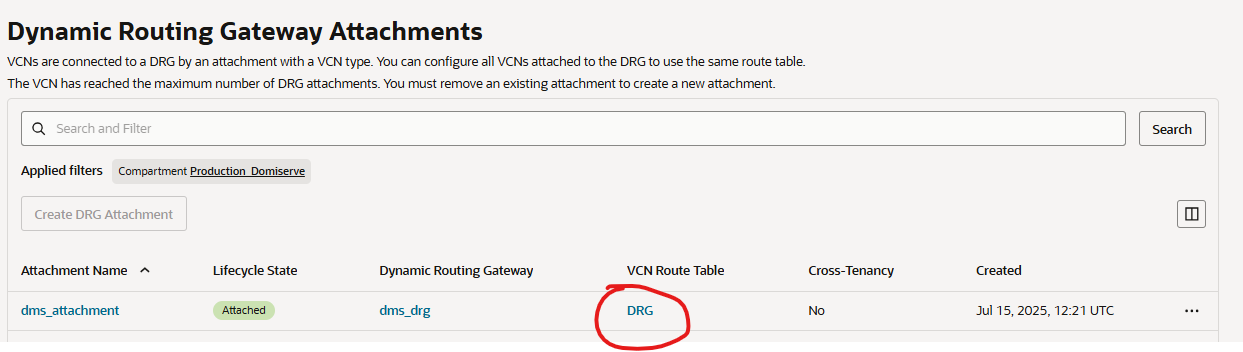
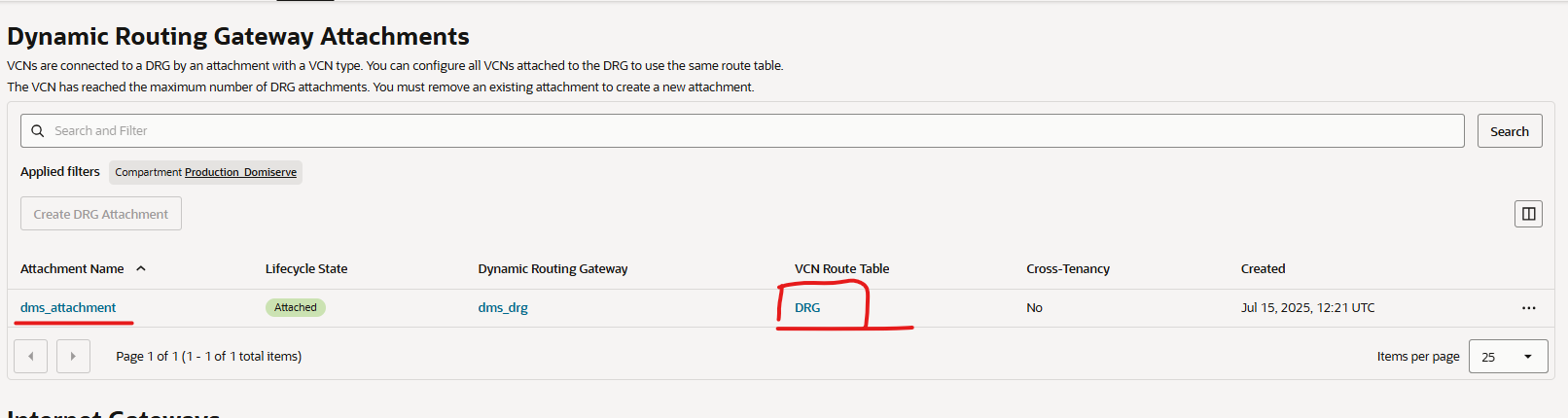
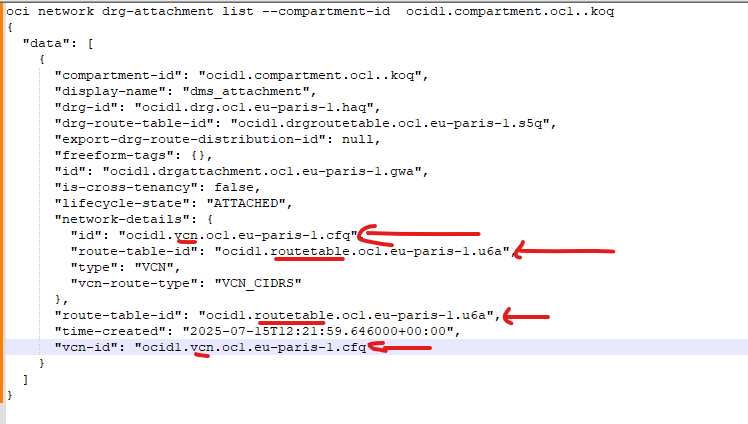
Pritunl updated all 6 routes of our VCN, and added 2 routes (VxLAN + local Network) in each so it’s 12 calls, and I believe it should only update the VCN route table of the DRG attachement used by the Pritunl server. The computing instance gives the routing table and the routing table the DRG. Next you need to go the Gateways of the VCN and only update the routing table of the attachments using that same DRG. This should add routes only in the needed tables.