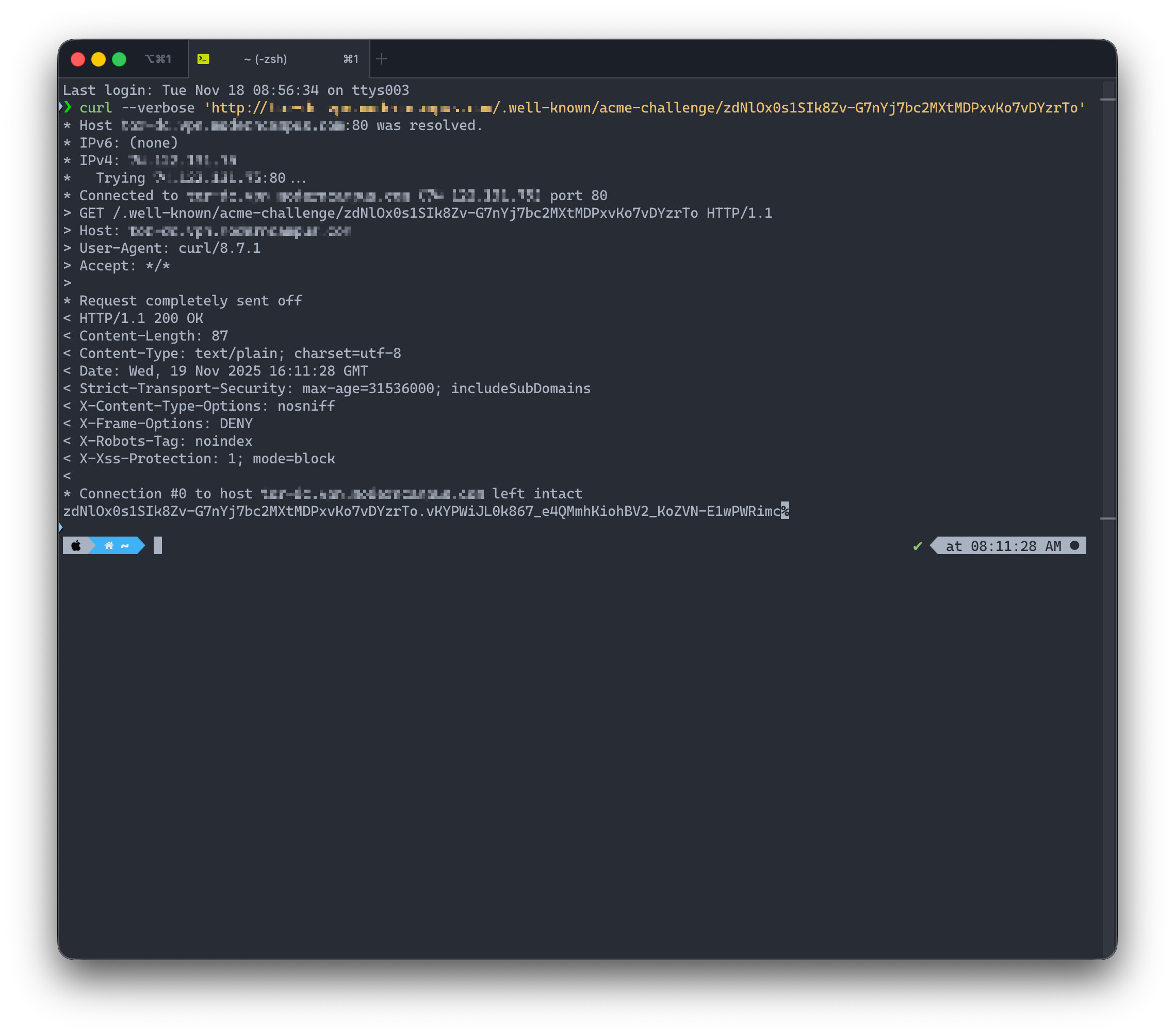
I have a Pritunl Enterprise VPN server that has been in production use since Mar 7, 2019. Starting last week it can no longer renew the Let’s Encrypt certificate. When trying to renew the following error shows in the log:
[patient-waterfall-1365][2025-11-18 17:21:24,737][ERROR] Failed to get LetsEncrypt cert
Traceback (most recent call last):
  File "/usr/lib/pritunl/usr/lib/python3.9/site-packages/pritunl/handlers/settings.py", line 1112, in settings_put
    acme.update_acme_cert()
  File "/usr/lib/pritunl/usr/lib/python3.9/site-packages/pritunl/acme.py", line 73, in update_acme_cert
    cert = get_acme_cert(settings.app.acme_key, csr, cmdline)
  File "/usr/lib/pritunl/usr/lib/python3.9/site-packages/pritunl/acme.py", line 45, in get_acme_cert
    certificate = acmetiny.get_crt(
  File "/usr/lib/pritunl/usr/lib/python3.9/site-packages/pritunl/acmetiny.py", line 138, in get_crt
    raise ValueError("Challenge did not pass for {0}: {1}".format(domain, authorization))
ValueError: Challenge did not pass for vpn.server.hostname.tld: {'identifier': {'type': 'dns', 'value': 'vpn.server.hostname.tld'}, 'status': 'invalid', 'expires': '2025-11-25T22:21:21Z', 'challenges': [{'type': 'http-01', 'url': 'https://acme-v02.api.letsencrypt.org/acme/chall/2810300146/614933220256/CHk61A', 'status': 'invalid', 'validated': '2025-11-18T22:21:22Z', 'error': {'type': 'urn:ietf:params:acme:error:unauthorized', 'detail': 'During secondary validation: xxx.xxx.xxx.xxx: Invalid response from http://vpn.server.hostname.tld/.well-known/acme-challenge/YUUYdx_VaV5Rmw-c2X4oZ84TJ4RkoBUfoRruEn_8oZo: 403', 'status': 403}, 'token': 'YUUYdx_VaV5Rmw-c2X4oZ84TJ4RkoBUfoRruEn_8oZo', 'validationRecord': [{'url': 'http://vpn.server.hostname.tld/.well-known/acme-challenge/YUUYdx_VaV5Rmw-c2X4oZ84TJ4RkoBUfoRruEn_8oZo', 'hostname': 'vpn.server.hostname.tld', 'port': '80', 'addressesResolved': ['xxx.xxx.xxx.xxx'], 'addressUsed': 'xxx.xxx.xxx.xxx'}]}]}
  acme_domain = "vpn.server.hostname.tld"
Note: I have replaced the actual hostname and IP address with vpn.server.hostname.tld and xxx.xxx.xxx.xxx respectively.
In troubleshooting I have:
- verified there is available space on the disks
- restarted the
pritunlservice - ran the command
pritunl reset-ssl-certto reinstall a self-signed certificate - checked there are no updates available with
dnf update - rebooted the server
The server is running Oracle Linux 8.10 and the latest pritunl is installed: pritunl v1.32.4400.99
Prior to this, certificate renewals have functioned automatically as expected. All existing client sessions appear to be still functional and users can connect, but any new sessions/users get an error in the pritunl client about a self-signed certificate and cannot connect.
Last week I sent an email to priority@pritunl.com that is listed on support.pritunl.com but I have yet to receive a response. How can I resolve this error and get certificate renewal functioning again?