Pritunl Cloud v2.0 has been released with the addition of pods. This is a new concept for managing KVM virtual machines using a Markdown, YAML, Shell, and Python based template system. The goal is to provide the flexibility of Kubernetes in a more conventional KVM virtualized environment with less complexity and fewer components. A live demo is available at cloud.demo.pritunl.com
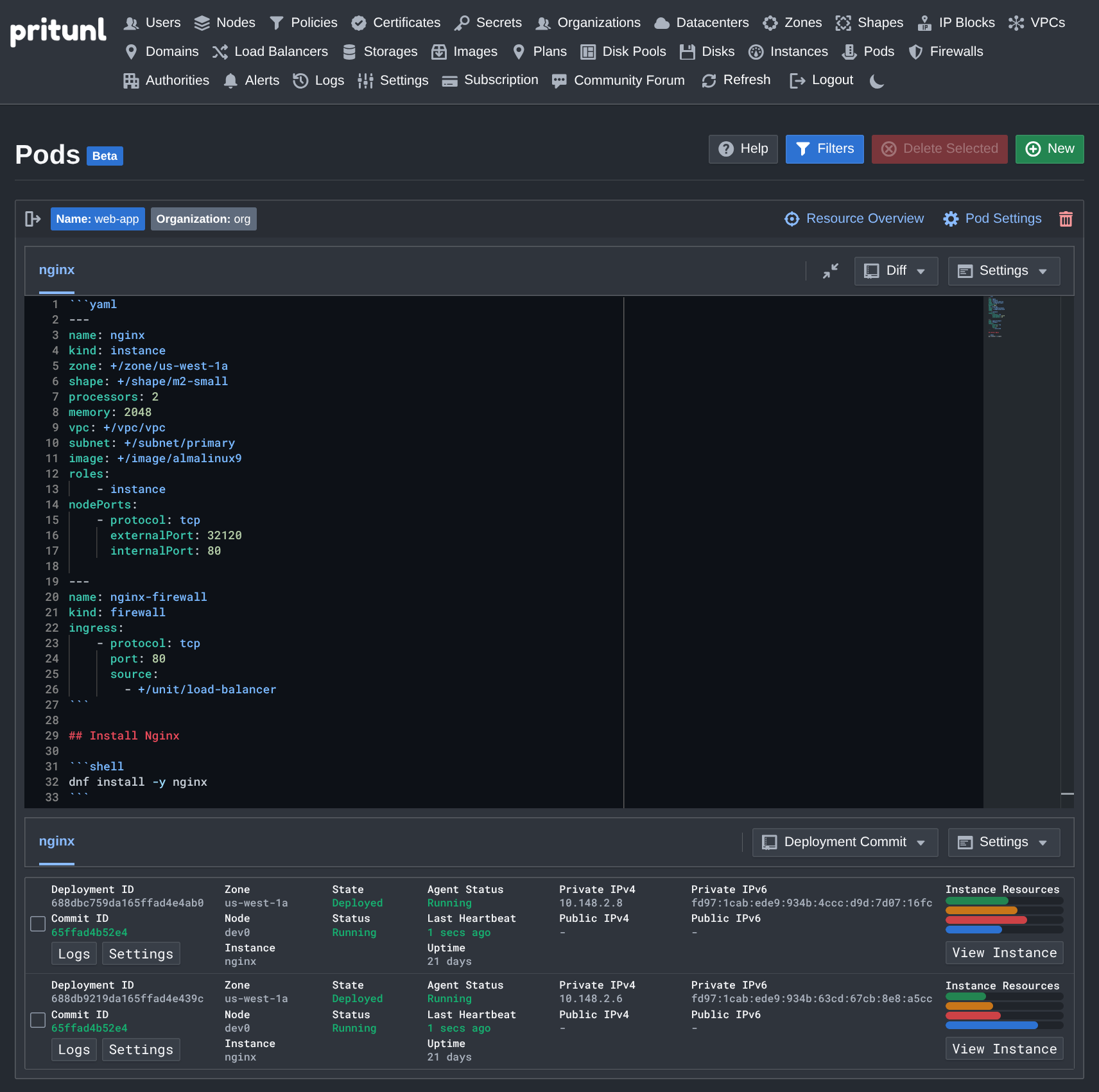
The template format is based on Markdown and uses YAML for the resource specification and a combination of Bash and Python for scripting. This supports seamless transitions between Bash and Python to handle complex deployment tasks. Data is shared between the scripts using environment variables.
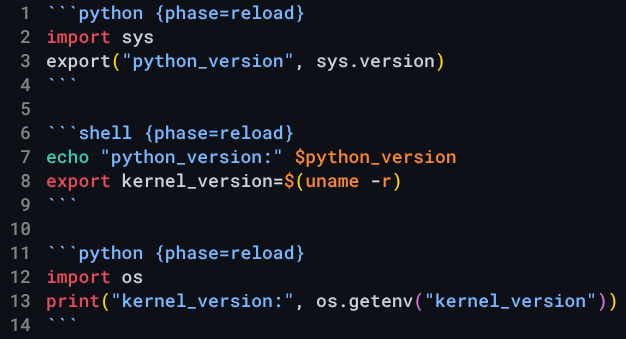
Scripts are scheduled to run in three phases. The initial phase runs only once when the instance is created, the reboot phase runs on all reboots, and the reload phase runs anytime the cluster state changes. The live template design allows making dynamic adjustments to configurations.
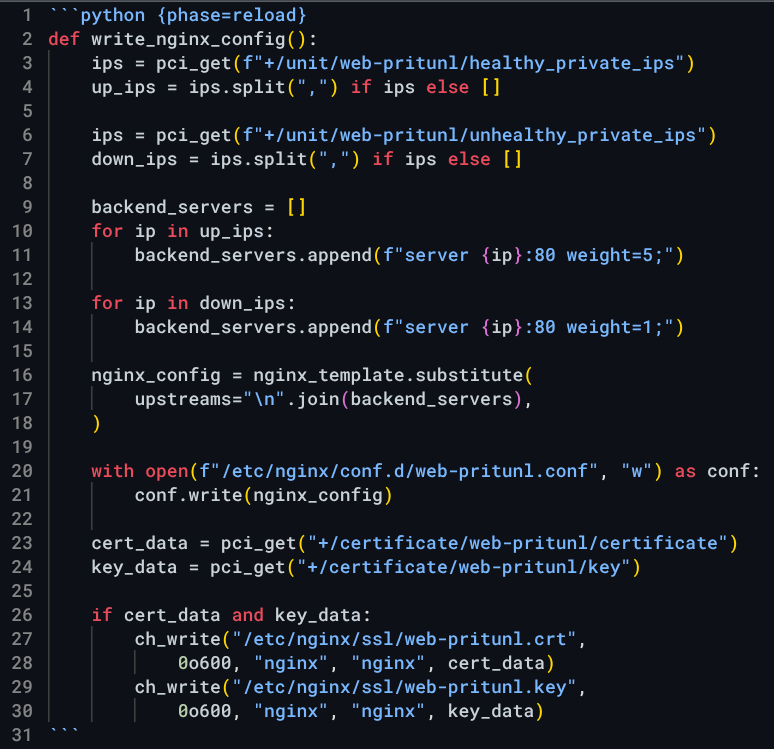
Below is an Nginx load balancer script that pulls the IP addresses of all the web app servers and updates the reverse proxy configuration. Then the latest certificate is pulled from the Pritunl Cloud certificate manager, which automatically manages Let’s Encrypt certificates.
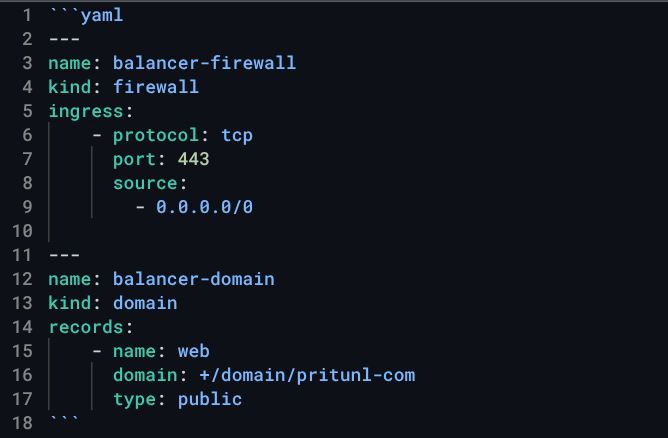
Templates can also manage DNS entries and firewalls. The template below opens the firewall for web traffic, then creates a DNS entry using the public IP of the deployed instance.
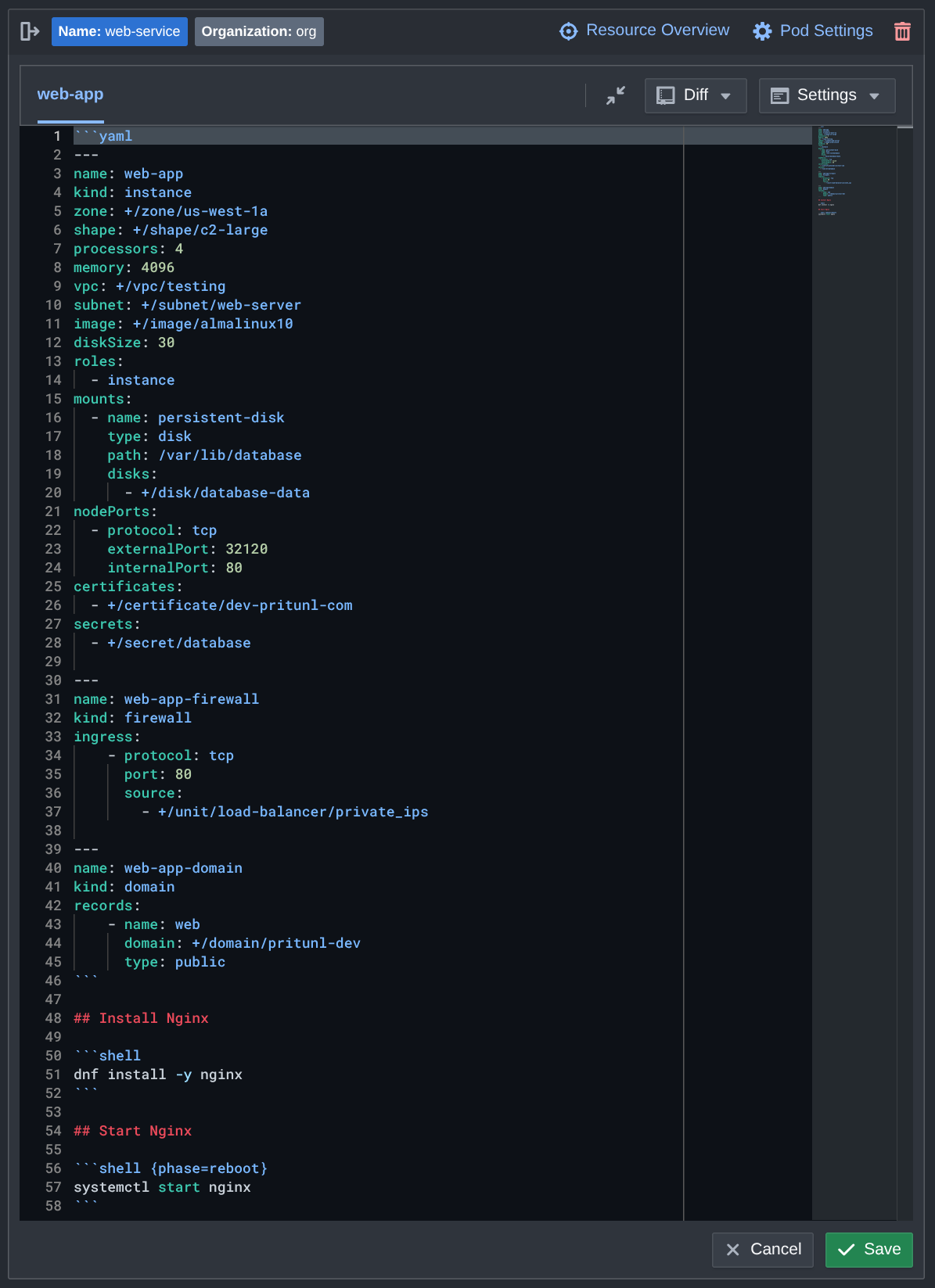
The Markdown template format allows adding all the pod deployment information in one file and including detailed documentation inside the template alongside each block of code.
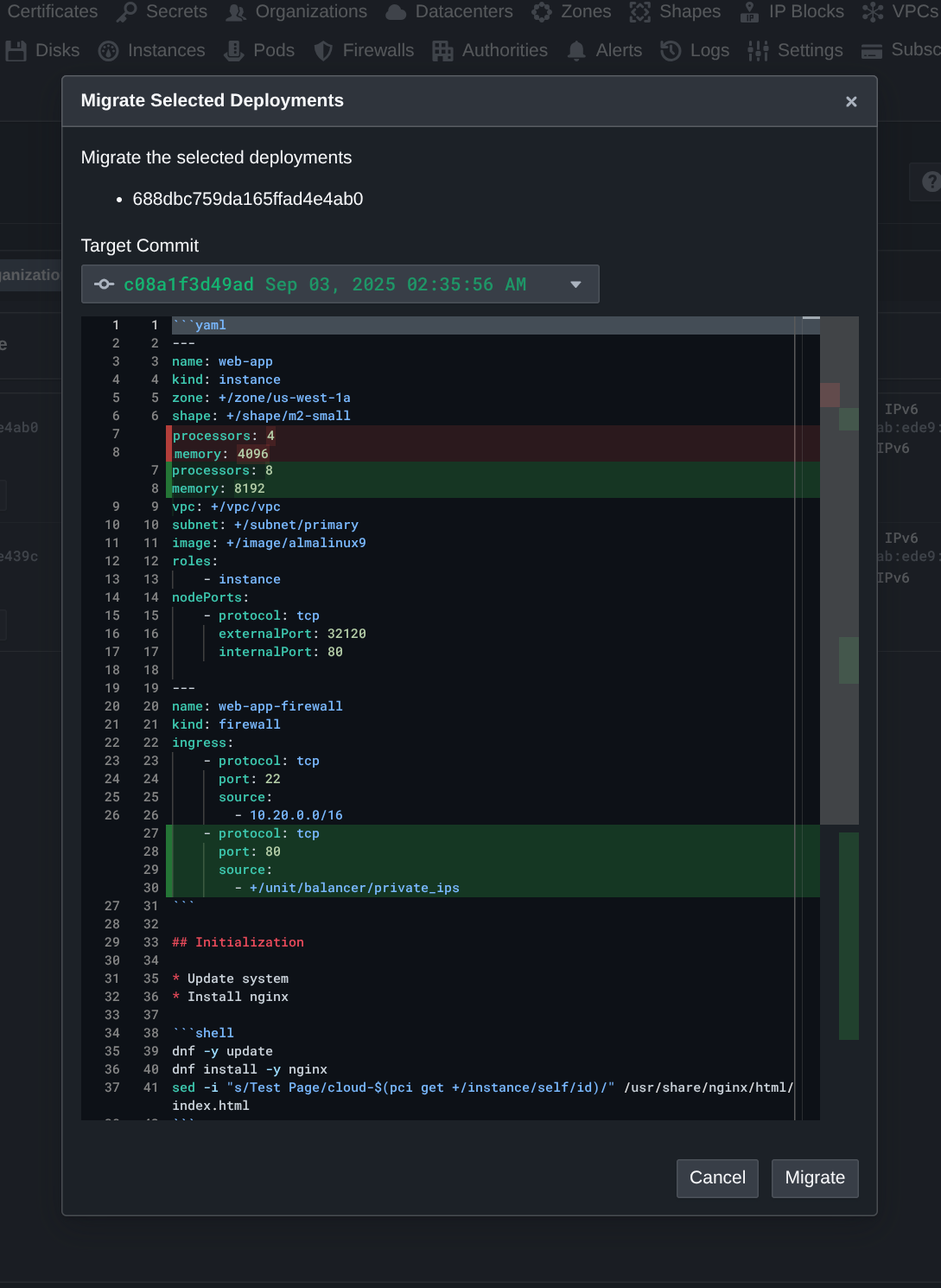
After changes are made to a template, existing deployments can be migrated in place with a graphical diff view of what changes will occur. The Pritunl Cloud agent running on the instance will then pull the latest template and run a reload phase with the updated scripts.
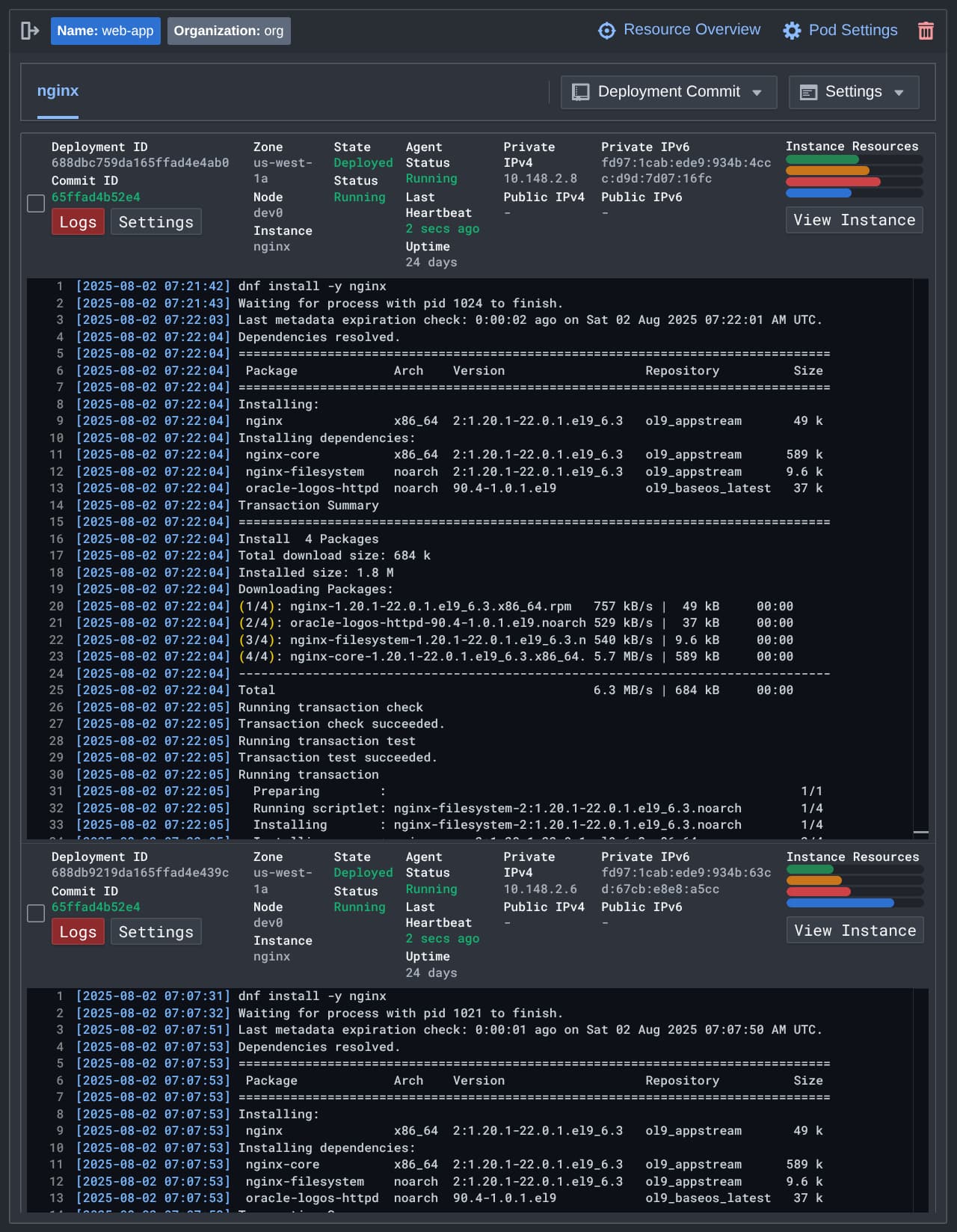
Output from the deployment scripts can be viewed live from the web console with a full overview of the instance status.
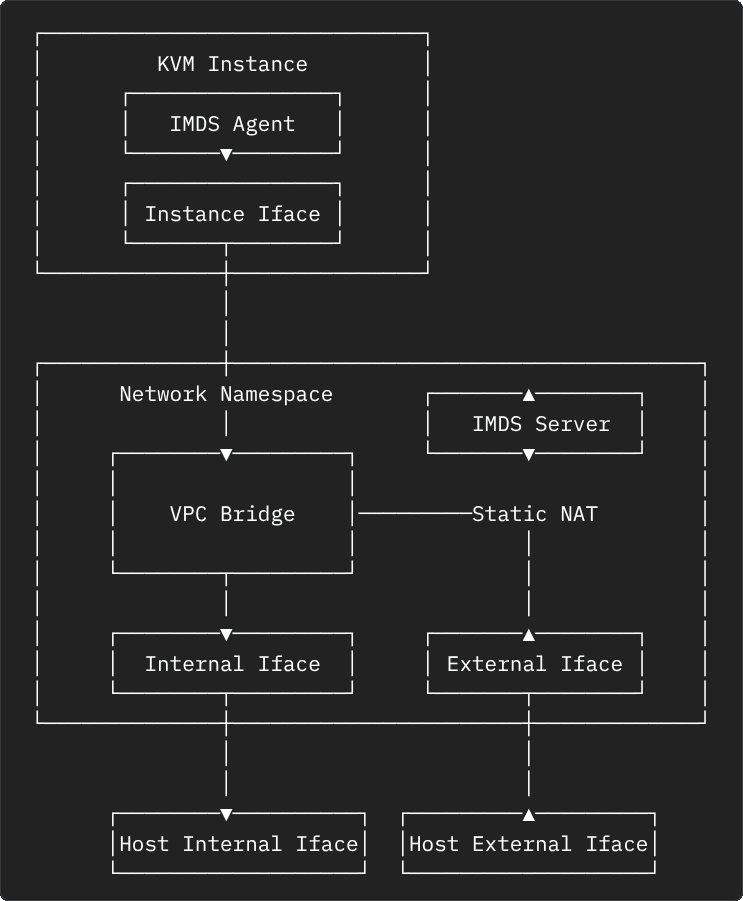
Instances run with a familiar networking structure to most cloud providers. The instance is given a private VPC IP address on the instance network interface. Then the public IP address, if one is configured, is NATed to the private IP address. The instance networking is run inside a network namespace on the host to provide improved isolation and sandboxing.