Pritunl Cloud v2.0.3665.99 has been released. This release adds a new internal private DNS system, Arch Linux support, updated instance images and several improvements to the web console.
Internal Private DNS
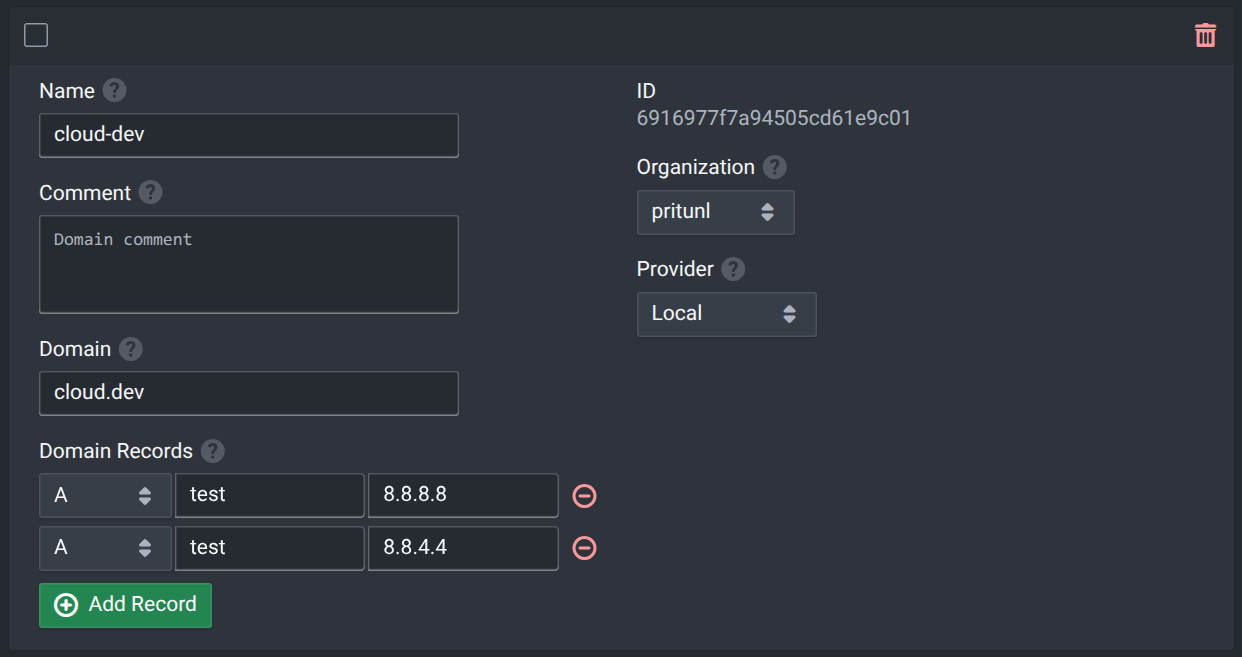
The new private DNS system adds a Local type to the DNS provider options. This creates a DNS domain that is only available on the instances in that organization. In addition to this the AWS, Cloudflare and Oracle Cloud DNS providers will also provide DNS records directly through the internal DNS system. This allows less than 3 second DNS updates for these records for instances in that organization while still maintaining a fallback to the public DNS system.
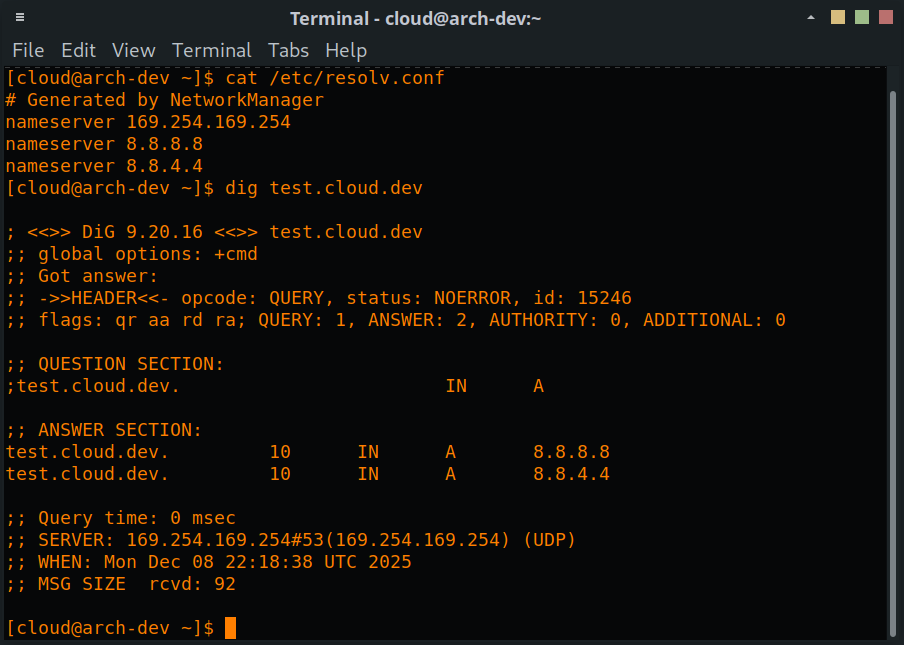
The internal DNS system is handled by the instance IMDS service running on the instance namespace on the host under the IP 169.254.169.254. This DNS server will be configured by cloud-init with a fallback to Google public DNS. The DNS server on the IMDS service will either return records for internal domains or proxy the request to the Google public DNS servers. This includes request for internal provider types. For this reason it’s best to only utilize domains that cannot be registered publicly or one that you have control to avoid uncontrolled responses from the public DNS system.
Arch Linux
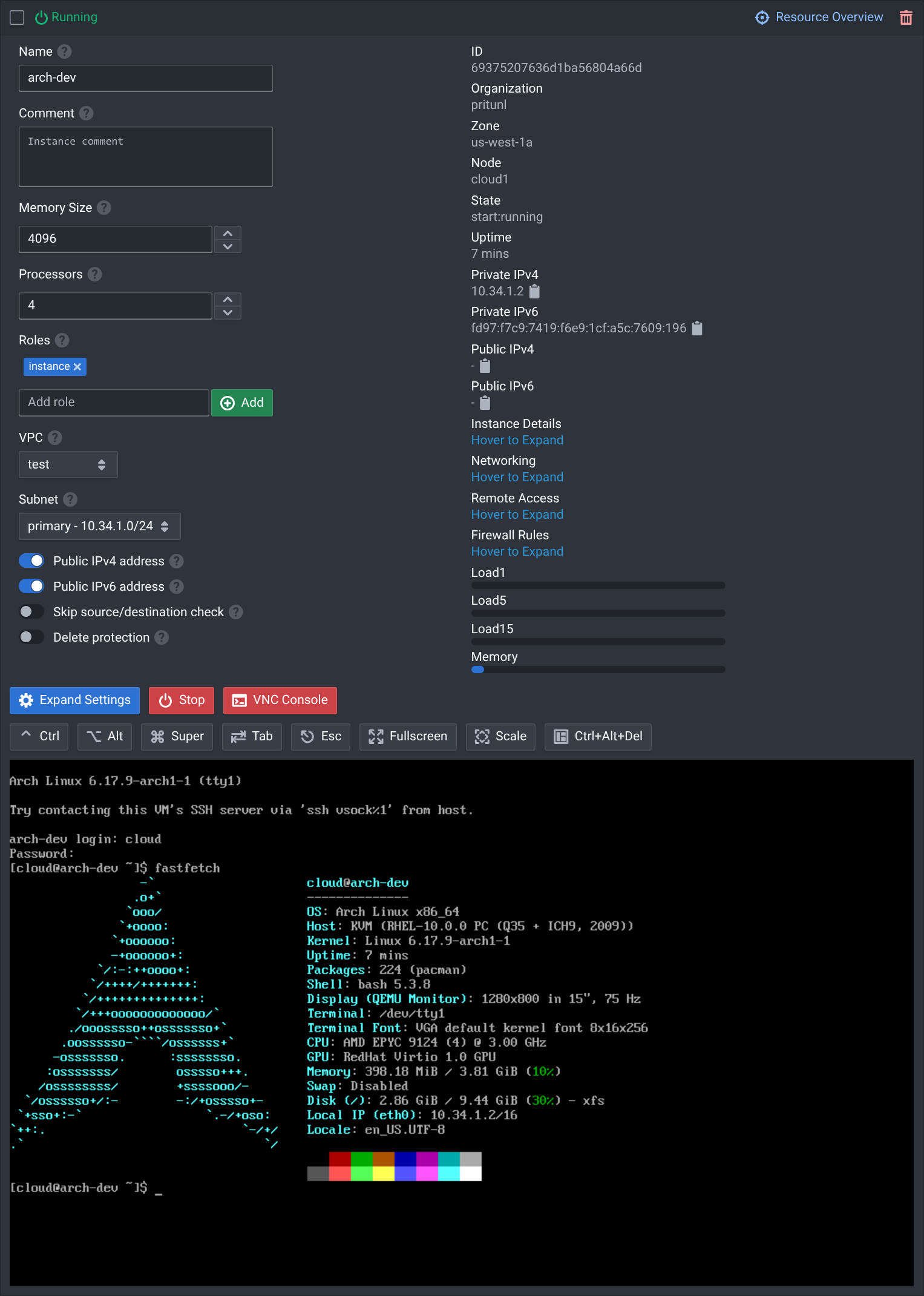
Arch Linux instances images are now available in the official Pritunl Cloud base images. As with all the other base images there is full support for the Pritunl Cloud pods system, IMDS service and private DNS.
Update Instance Images
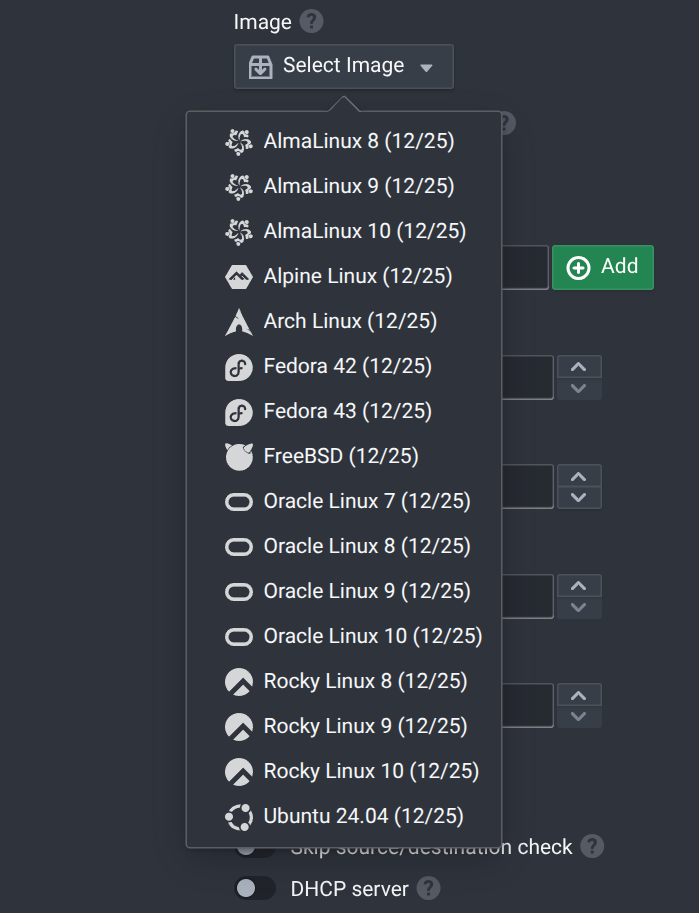
The instance base images have been kept on a monthly update cycle and the latest images now include Fedora 43 with Fedora 42 remaining updated, FreeBSD 15.0 and RHEL 10.1 images for all the RHEL clones. The base images will now maintain updated Fedora images for the 2 most recent Fedora releases. Fedora keeps the previous release repository updated so this can provide a more stable platform where the more recent and larger repository of Fedora is needed over the RHEL repository.
Web Console Improvements
The layout of the web console navigation and several components have been updated to improve usability. This includes the Expand Settings button in the detailed instance view to allow the instance view to fit on screen while keeping less frequently used settings hidden.